Loops alternatives for SaaS broadcast and lifecycle email
Loops is free to the 1,000 newest contacts and $99 at about 10,000 subscribers. Nine alternatives for SaaS senders, priced at 10,000 and 25,000 contacts.
Short answer
People leave Loops for one of three reasons: they outgrow the free plan (4,000 sends to the 1,000 newest contacts, plus a "Powered by Loops" footer), they balk at the subscriber-priced paid plan ($99 at 9,998 subscribers), or they need a different kind of tool. My pick for a product team with an engineer is the Marketing tab of Resend: $40 at 5,000 contacts, $80 at 10,000, $180 at 25,000 and $250 at 50,000, which is under Loops at every readout except 50,000, where it is $1 over. Choose Customer.io when flow depth matters more than price, and Brevo when the real problem is the free plan's size.
Why people leave Loops
Loops' pricing page splits into two plans. The Early Stage Plan is free: unlimited contacts, but sends go to your 1,000 newest contacts, up to 4,000 in any rolling 30 days, at up to 10 emails per second, with a small "Powered by Loops" footer and all features included. That is four sends per contact a month, and the page's own FAQ says marketing and transactional sends count together, so a password reset spends the same budget as a product announcement. A list of 1,500 contacts therefore leaves the 500 oldest with nothing, and 4,000 sends at 10 a second take 400 seconds to leave the queue.
The Growing Audience Plan is priced by subscribed contacts, and the FAQ says unsubscribed contacts do not count. I recorded four slider readouts on 7 October 2026: $48 at 4,788 subscribers, $99 at 9,998, $198 at 24,339 and $249 at 49,989. I did not record the stops between 1,000 and 4,788, so this page cannot tell you the first paid price. Working the readouts out per thousand gives about $10.03, $9.90, $8.14 and $4.98, so across those four readouts the unit price falls as the list grows. The sting is in the first paid stretch: the lowest paid figure I recorded is $48 at 4,788 subscribers, and a product with low revenue per user can find that a lot for a handful of lifecycle emails and receipts.
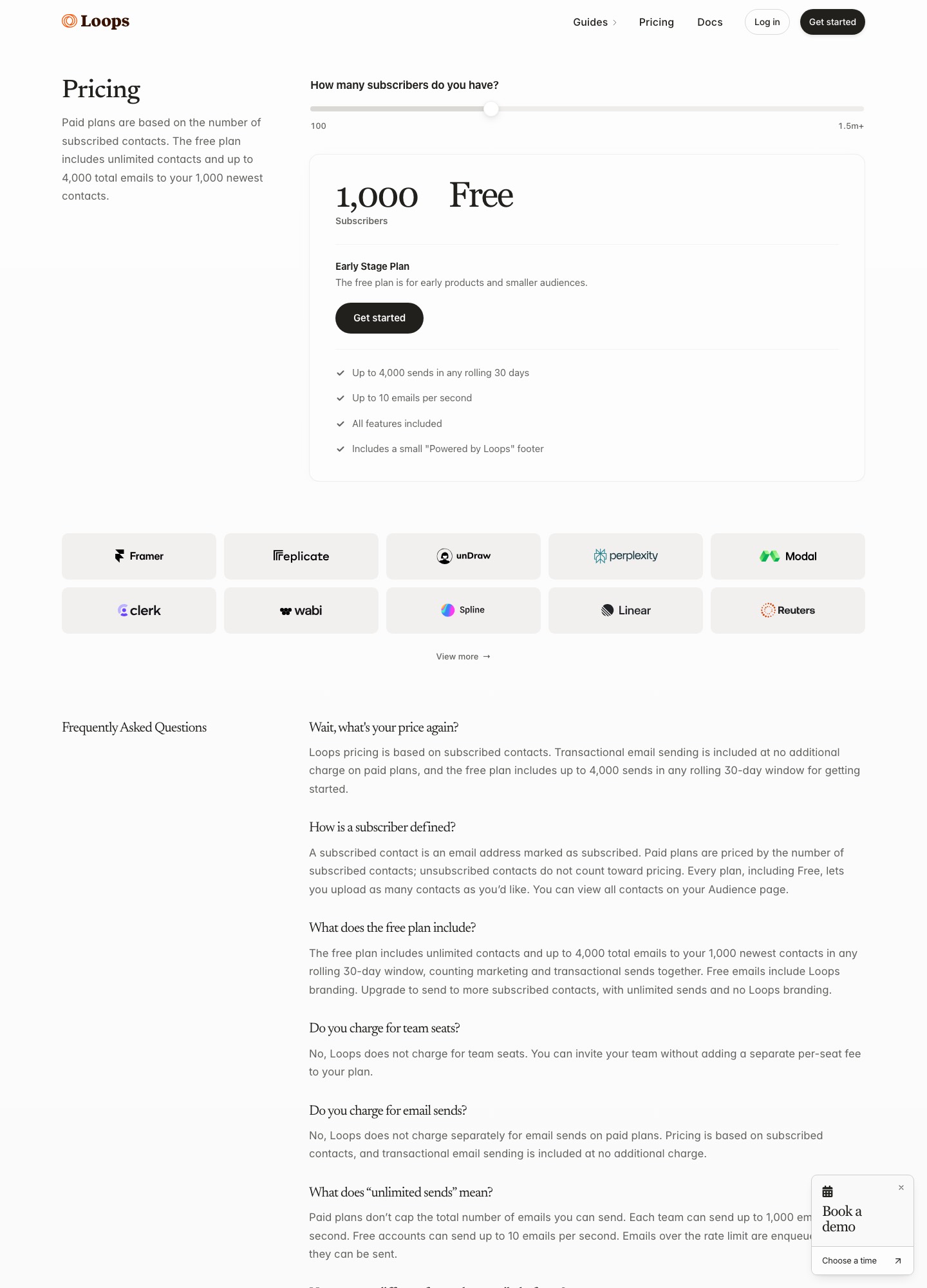
Be fair to what you would be leaving. The same pricing page says there is no per-seat charge, that paid plans do not charge separately for sends, and that transactional sending is included on paid plans. Those three lines remove several bills that other tools add. Our Customer.io vs Loops and Loops vs Resend pages go deeper on the two closest decisions.
Quick comparison
| Alternative | Best if you | Billing unit | About 10,000 / about 25,000 | Free plan |
|---|---|---|---|---|
| Loops (baseline) | want one SaaS workspace | Subscribed contacts | $99 (9,998) / $198 (24,339) | 1,000 newest contacts, 4,000 sends in 30 days |
| Resend | own the sending from code | Contacts | $80 / $180 | 1,000 contacts |
| Customer.io | trigger on product events | Profiles | $145 / 20,000 is $235 | None; startup program |
| Userlist | sell B2B and message companies | Tracked users | $149 (up to 10,000) / 18,000 is $229 | Not listed |
| Brevo | need a bigger free plan | Monthly email volume | Starter from $9, Standard from $18 at 5,000 emails | 300 sends a day |
| MailerLite | send mostly campaigns | Subscribers | $89 / $179 (Comfort) | 250 subscribers, 2,500 emails |
| Kit | publish to an audience | Subscribers | $116 / $166 (Creator) | 10,000 subscribers, broadcasts |
| Plunk | want per-email billing | Emails sent | 40,000 emails is $40 | 1,000 emails a month |
| Postmark | mostly send transactional | Emails sent | 10,000 emails $15 (Basic) | 100 emails a month |
| Amazon SES | run your own list code | Emails sent | $0.16 per 1,000 emails | 6-month plan, up to $200 credits |
Nine alternatives, by what the leaver needs
1. Resend: the cheaper marketing tab for engineer-owned products
Choose it when the person who wrote your onboarding emails is a developer, not a marketer. Resend's pricing page has a Marketing tab that is free at 1,000 contacts, listing unlimited broadcast sending, 10,000 automation runs and 3 segments. Paid readouts are $40 at 5,000 contacts, $80 at 10,000, $180 at 25,000, $250 at 50,000 and $450 at 100,000. Against Loops that is $8 under at the nearest 5,000 reading, $19 a month under at 10,000 ($228 a year), $18 under at 25,000 ($216 a year), and $1 over at 50,000. The free tabs differ in shape: Loops' free plan lists all features but sends to 1,000 contacts at most, while Resend's free marketing tab caps segments at three. The same account has a transactional tab, free at 3,000 emails a month with 100 a day, so one vendor can carry both streams. The migration work is mostly code: swap the send calls, recreate each loop as an automation, and re-import contacts from CSV. The full comparison shows where Loops' editor still wins.
2. Customer.io: more flow depth, and a clear premium for it
Choose it when your lifecycle is growing into branching, event-based journeys and you have the time to build them. Customer.io's pricing page lists Essentials at $100 for 5,000 profiles, $145 for 10,000, $235 for 20,000, $325 for 30,000 and $505 or more for 50,000 and above, with $0.009 for each extra profile. At roughly 10,000 that is $46 a month more than Loops ($552 a year); at 50,000 profiles it is at least $256 more, or $3,072 a year. In return Essentials lists one million emails a month and transactional sending in every plan, but its comparison table marks managed deliverability as not included on Essentials. Premium starts at $1,000 a month, billed yearly. There is one reason the premium can be zero: companies that raised under $10M can get twelve months free through its startup program, so a funded team should ask before assuming the cost. Its docs also say a profile that existed at any point in the billing month counts even if you delete it. Read Customer.io vs Loops before you commit.
3. Userlist: for products that message companies, not just users
Choose it when your accounts are companies and you want segments built on company data as well as on individual users. Userlist's pricing page lists Basic at $149 a month for up to 10,000 users and Professional at $349, with $10 and $12 for each additional 1,000 users. Basic reads $229 at 18,000 users and $369 at 32,000. Against Loops' $99 at about 10,000 subscribers, Basic is $50 a month more ($600 a year). The page includes segments for users and companies and lifecycle email with in-app messages. Its billing docs set a message allowance of five times your tracked users with a floor of 500,000 messages a period, so at 10,000 users the allowance is 500,000, and overage is $1 per 1,000 messages. Users are counted differently from Loops' subscribed contacts, so export your list and see how many are actual tracked users before comparing. Userlist vs Customer.io covers the other side of that decision.
4. Brevo: the free plan that outlasts Loops' 4,000 sends
Choose it when the pain is the free plan and your product is still pre-revenue. Brevo's help centre lists a free plan with 300 email sends a day and storage for up to 100,000 contacts, with 2,000 contacts in marketing automation. Thirty days at 300 is 9,000 sends, against Loops' 4,000 in a rolling window, and no contact is left out because it is old. The catch is pacing: an announcement to 3,000 contacts takes ten days at 300 a day, so a launch email cannot go out in one batch. Starter starts at $9 a month from 5,000 emails with no daily limit, and Standard at $18 adds automation, A/B testing and advanced reports. The price at your own volume is on Brevo's slider; I did not record a figure at 40,000 emails. A "Remove Brevo logo" add-on is listed at $9 a month in the help article, which is the footer equivalent to Loops' badge. For a head-to-head on sending infrastructure see Brevo vs SendGrid.
5. MailerLite: a modest saving, with a smaller free plan
Choose it when your list is mostly newsletter and announcement readers rather than in-app users. MailerLite's pricing page reads Comfort at $19 for 1,000 subscribers, $49 for 5,000, $89 for 10,000 and $179 for 25,000, and Power at $39, $69, $129 and $239. Versus Loops that is $1 over at about 5,000, $10 a month under at about 10,000 ($120 a year) and $19 under at about 25,000 ($228 a year); Power at 10,000 is $30 more. The free plan is smaller than Loops': 250 subscribers, 2,500 emails and two seats, so both the contact count and the email count sit below what Loops' free plan reaches. Comfort also carries a send allowance of ten times the subscriber tier, so at 10,000 subscribers it is 100,000 emails, ten per subscriber, whereas Loops' page says paid plans do not cap total sends. A product that mails weekly digests and a monthly changelog fits comfortably; one that fires many triggered messages should check the ceiling.
6. Kit: the free tier for a waiting list, not for lifecycle
Choose it when you are building a following around the product, such as a launch list of 6,000 people who want updates. Kit's pricing page lists a free plan for up to 10,000 subscribers with unlimited broadcasts, landing pages and forms, and segmentation, but Visual Automations and sequences start on Creator at $75 for 5,000 subscribers, $116 for 10,000 and $166 for 25,000 (monthly rate shown, billed yearly). Compare that with Loops: free to 10,000 on Kit means 6,000 subscribers get a broadcast at no cost, where Loops would reach 1,000 of them. Paid, Creator at 10,000 is $17 a month above Loops' $99 ($204 a year), and at about 25,000 it is $32 under ($384 a year). You lose the all-features-on-free model: a welcome sequence on Kit means leaving the free plan. Kit offers free migrations and a 14-day trial, which helps if you are moving a creator-style list.
7. Plunk: per-email billing and an open-source licence
Choose it when you want to pay for emails, not contacts, and a developer is comfortable with a smaller vendor. Plunk's pricing page lists a free plan of 1,000 emails a month with unlimited contacts and Plunk branding on emails, and a paid plan at $0.001 per email with no branding, a monthly spend cap and unlimited emails. It lists transactional email, workflow automation and campaign broadcasts, and the code is AGPL-3.0, so you can self-host it. The arithmetic decides it: 10,000 subscribers who each get four emails a month is 40,000 emails, so 40,000 x $0.001 = $40 a month, against Loops' $99 at that list size. The break-even is 99,000 emails a month, since 99,000 x $0.001 = $99; send more than about ten messages per subscriber and Loops' flat pricing is cheaper. Plunk's free plan holds 1,000 emails, a quarter of Loops' 4,000.
8. Postmark: when most of your Loops sends are transactional
Choose it when the marketing side is a monthly update and the real load is receipts, invites and resets. Postmark's pricing page lists Basic, Pro and Platform at $15, $16.50 and $18 for 10,000 emails a month, and $55, $60.50 and $66 at 50,000. Its free plan is 100 emails a month with no overages. If you pay $99 for 9,998 Loops subscribers and your product sends 10,000 emails, Basic is $84 a month less ($1,008 a year). The saving is real only if you stop needing the rest: Postmark prices emails, so nothing on that page replaces Loops' audience view or its sequence builder. Postmark's slider has no 25,000 stop, so there is no figure to compare to Loops' $198. Add a separate list tool such as MailerLite or Kit for newsletters. The Resend vs Postmark page is useful if you are choosing the sending side alone.
9. Amazon SES: the floor price, with the build on you
Choose it when your team is happy to build around a sending service and wants the lowest per-email price. AWS's SES pricing page lists Essentials at $0.16 per 1,000 emails and works an example of 250,000 emails at $40.00; new AWS customers get a free plan for six months with up to $200 in credits. At the 40,000-email example above, 40 x $0.16 = $6.40. AWS describes it as sending for both transactional and marketing email over SMTP or API, with deliverability monitoring, Mail Manager inbound processing and dedicated IP add-ons; the pages I read do not describe a campaign editor or sequence builder, so I am not comparing those against Loops. The Pro tier also carries a $105 monthly account fee per region. Weigh that against how much of a marketer's workflow you would have to rebuild around it. Read the SaaS onboarding sequence guide before you decide how many of those flows you can afford to own.
Cost at four list sizes
| Per month | About 5,000 | About 10,000 | About 25,000 | About 50,000 |
|---|---|---|---|---|
| Loops Growing Audience | $48 (4,788) | $99 (9,998) | $198 (24,339) | $249 (49,989) |
| Resend Marketing | $40 | $80 | $180 | $250 |
| MailerLite Comfort | $49 | $89 | $179 | not read |
| Kit Creator | $75 | $116 | $166 | not read |
| Customer.io Essentials | $100 | $145 | not read (20,000 is $235) | $505+ |
| Userlist Basic | not read | $149 (up to 10,000) | not read (18,000 is $229) | not read (32,000 is $369) |
All figures are monthly prices read from each vendor's pricing page on 7 October 2026. Loops' readouts sit at slightly different list sizes from the others, which are at round numbers, so differences of a few dollars are indicative only. Email-priced options (Brevo, Plunk, Postmark, SES) are left out of this table because their price depends on volume sent, not list size.
Switching from Loops
Start by pulling the unsubscribed contacts as well as the active ones. Loops' pricing page says unsubscribed contacts do not count towards the plan and that you can view all contacts on the Audience page, so the active export may quietly omit the people most important to keep suppressed. Take both lists, with the custom properties you filter on, and write down which events your product posts to Loops, because those API calls live in your code and have to be replaced one by one. The same goes for each transactional email: find the call, the template and the variables, and map them to the new tool.
Rebuild loops one at a time, simplest first, and leave the free-plan footer behind only after the last sender is switched. Run the new tool beside Loops for a fortnight with new signups going to both, then compare what arrived and when; if a trigger fires late you will see it before customers do. Update SPF and DKIM for the new sender only when you cut over, and keep Loops until the first complete billing cycle closes, since a rolling 30-day send window and a monthly bill can overlap in ways you will want to check.
Which one to pick
- Resend if an engineer owns email: $80 at 10,000 contacts and a free tab at 1,000.
- Customer.io if you need event-based branching: $145 at 10,000 profiles, possibly free for a year if you qualify.
- Userlist if the buyer is a company and you message accounts: $149 at up to 10,000 users.
- Brevo if you are pre-revenue and need room: 300 sends a day, storage for 100,000 contacts.
- MailerLite if you send newsletters and want about $10 off at 10,000.
- Kit if the list is an audience: free to 10,000 for broadcasts.
- Plunk if you send under 99,000 emails a month at 10,000 subscribers and want per-email billing.
- Postmark or SES if the Loops bill is really a transactional bill.
If you are still deciding what kind of tool you need, connecting Stripe to email and how to choose an email tool are the next reads, and the alternatives index and tools directory list the rest.
FAQ
How much does Loops cost at 10,000 subscribers?
Loops' pricing page showed $99 a month for the Growing Audience Plan at 9,998 subscribers on 7 October 2026. The same slider read $48 at 4,788, $198 at 24,339 and $249 at 49,989. Paid plans include transactional sending and have no per-seat fee.
What are the limits of Loops' free plan?
The Early Stage Plan allows up to 4,000 sends in any rolling 30 days to your 1,000 newest contacts, at up to 10 emails per second, with all features included and a small "Powered by Loops" footer. Marketing and transactional sends count towards the same 4,000.
What is the cheapest Loops alternative for a SaaS product?
For list-priced marketing tools, Resend's Marketing tab is lowest at $80 for 10,000 contacts. If you pay per email, Plunk's paid plan is $0.001 per email and needs a developer's attention. Amazon SES lists $0.16 per 1,000 emails and needs more. Postmark Basic is $15 for 10,000 transactional emails.
Can I use Loops' transactional and my new tool at the same time?
Yes, but keep one tool responsible for each stream while you migrate so a user never receives the same message twice. Move marketing sequences first, then transactional calls, and check unsubscribes on both sides before you remove Loops.